Daily Gaming runs your whole league in one place: the league page, recruiting, the prize pot, teams, weekly games, trades, the playoffs and the payout. Every member gets push notifications, so nobody can say they didn't know when the advance was.
Here's every step a commissioner goes through, with the real screens. The league in the screenshots, Gridiron Kings CFM, is an example. Everything you see is what you get.
1List your league
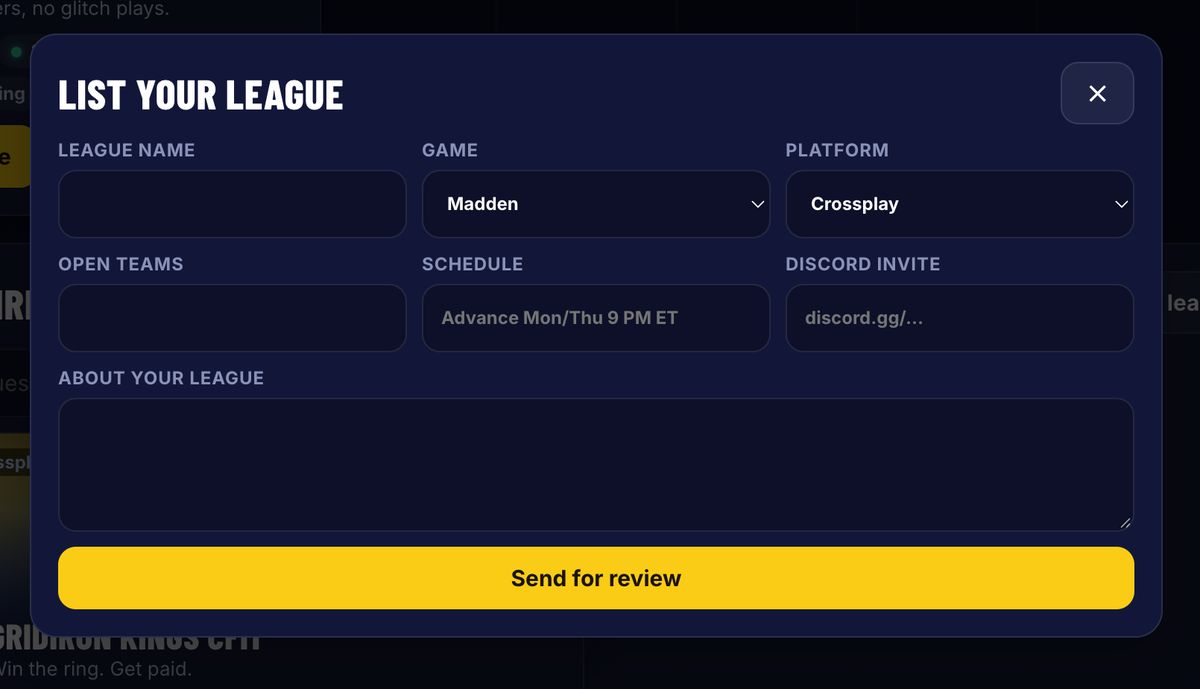
In the app, open Leagues and tap List it here. On the website, go to Sign in, then Leagues, then Run a league? List it. Add your league name, game, platform, open teams, advance schedule and Discord invite.
We review new listings fast and you get a push when it's live. Your league gets its own page in the league directory, where players filter by game and platform, plus your Discord logo and banner.
2Set up the season
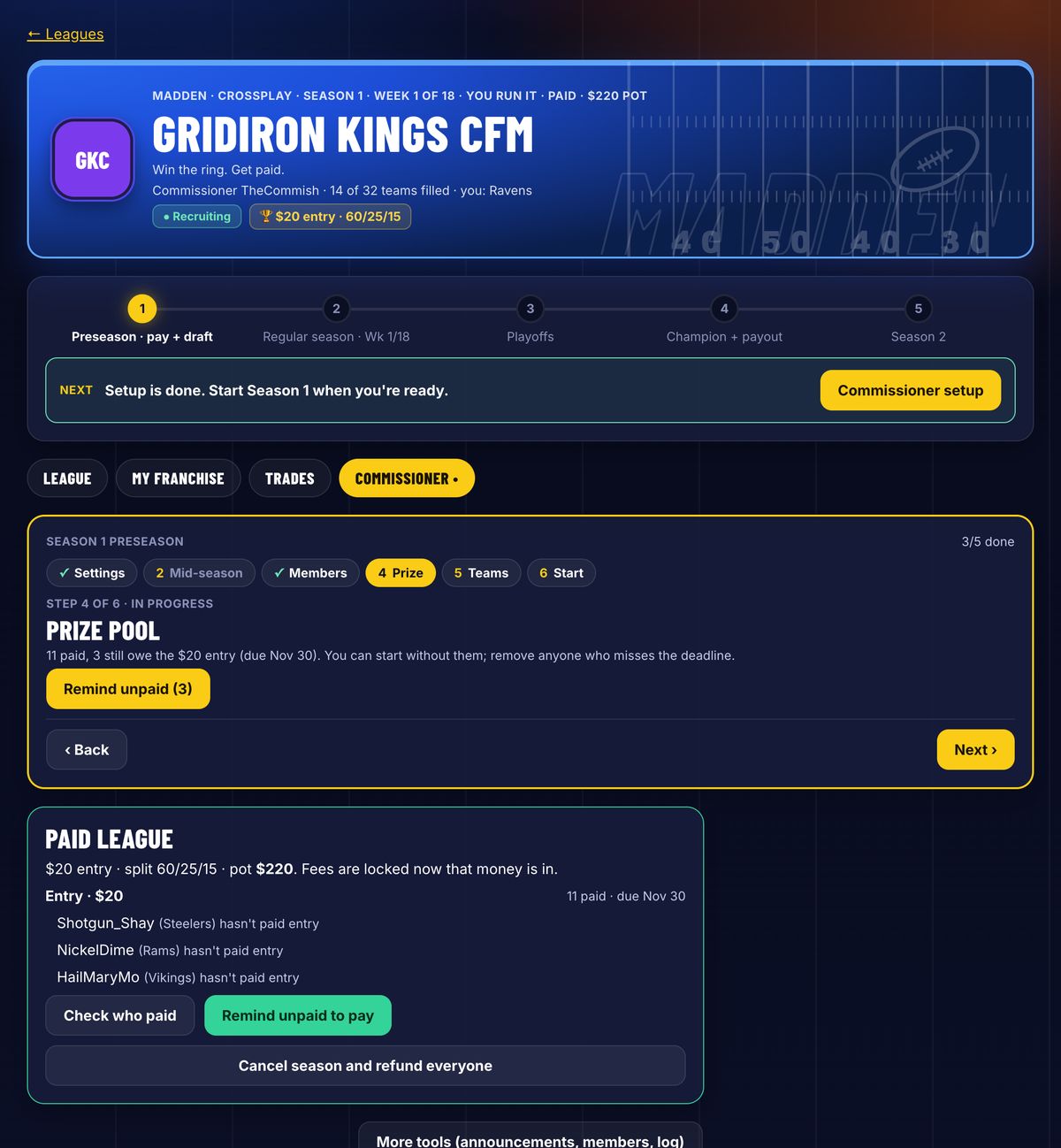
Open your league and tap Commissioner. Preseason walks you through setup one step at a time, and the season tracker at the top always shows where you are and what's next:
- Settings: season length (18 weeks by default) and the trade deadline. Madden leagues can follow the real NFL schedule, so Season 1 games fill in by themselves.
- Already playing? Moving a league that's mid-season? Set the week you're on and each team's record, and pick up where you left off.
- Members: share your league page or Discord so players join on Daily Gaming.
- Prize (optional) and Teams, covered next.
- Start the season: unlocks once setup is done. Week 1 goes up and every member gets a push.
3Add a prize pot (optional)
Free leagues skip this. For a paid league, set an entry fee ($1 to $100), up to four weekly dues payments, and a payout split: winner takes all, 70/30, 60/25/15 or 50/30/20.
Then open the entry payment. Every member gets a push and pays from the wallet in their app. The money is held in escrow until the season ends: nobody can touch it mid-season, not you and not us. You see who paid and who hasn't, and one tap reminds everyone who still owes.
4Give out teams
Three ways to do it, mixed however you like:
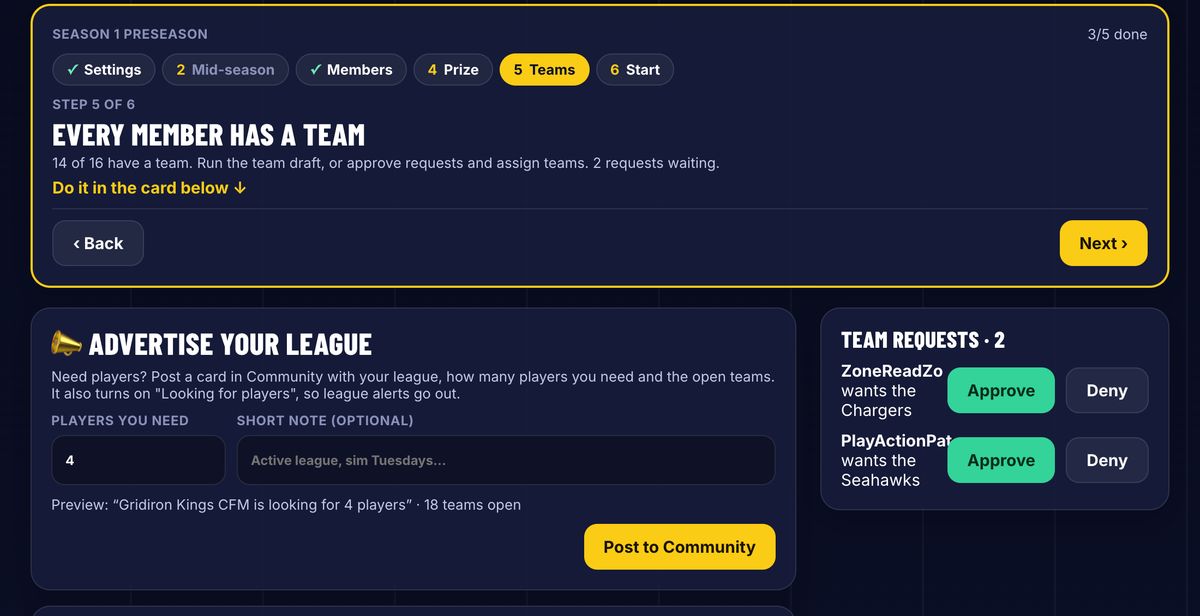
- Team requests: players pick a team and you approve or deny it.
- Assign: set anyone's team from the members list.
- Team draft: members take turns picking on a pick clock. Everyone stars the teams they want first, so a member who runs out of time gets their top starred team that's still open.
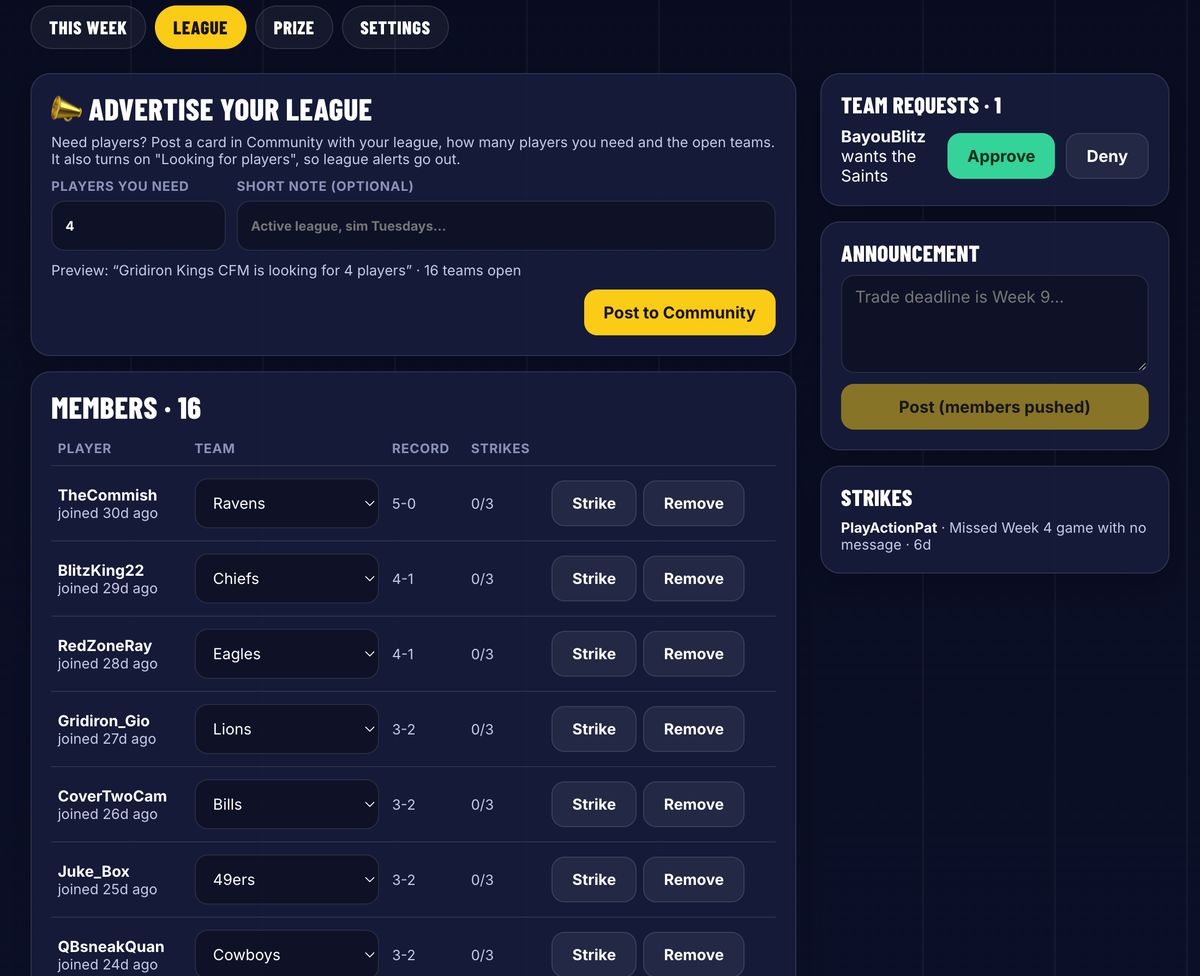
Need more players? Advertise your league posts a card in the Community feed and our Discord with your open teams, and switches on "Looking for players" so league alerts go out.
5Run each week
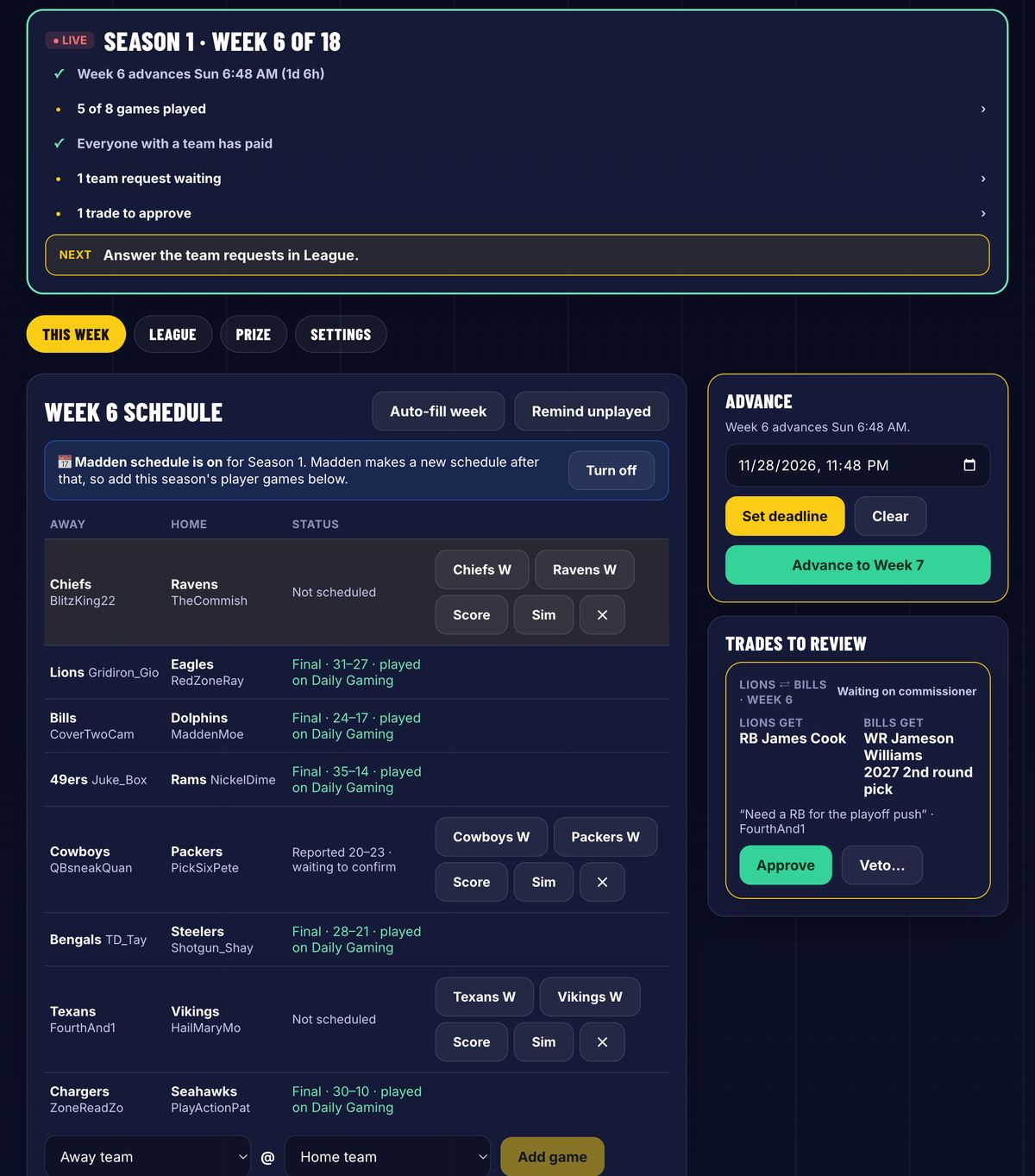
Once the season is live, This week is your dashboard: when the week advances, how many games are played, who still owes money, team requests and trades waiting, and one line telling you what to do next.
- Schedule: follows the Madden schedule, or Auto-fill week pairs every team with a player. You can add games by hand too.
- Results: games played as a Daily Gaming match count by themselves. Players can also report a score and the other side confirms. You can enter a score, give a win, or sim a no-show.
- Remind unplayed pushes everyone who hasn't played yet.
- Advance: set the deadline (everyone sees the countdown), then advance to the next week.
- Trades: members propose trades. You approve or veto them, and the trade deadline is enforced for you.
6Manage members
The League tab holds everything about your people: advertise for players, answer team requests, post an announcement (every member gets a push), change anyone's team, give strikes (up to three, with the reason everyone can see), and remove players.
7Settings and the activity log
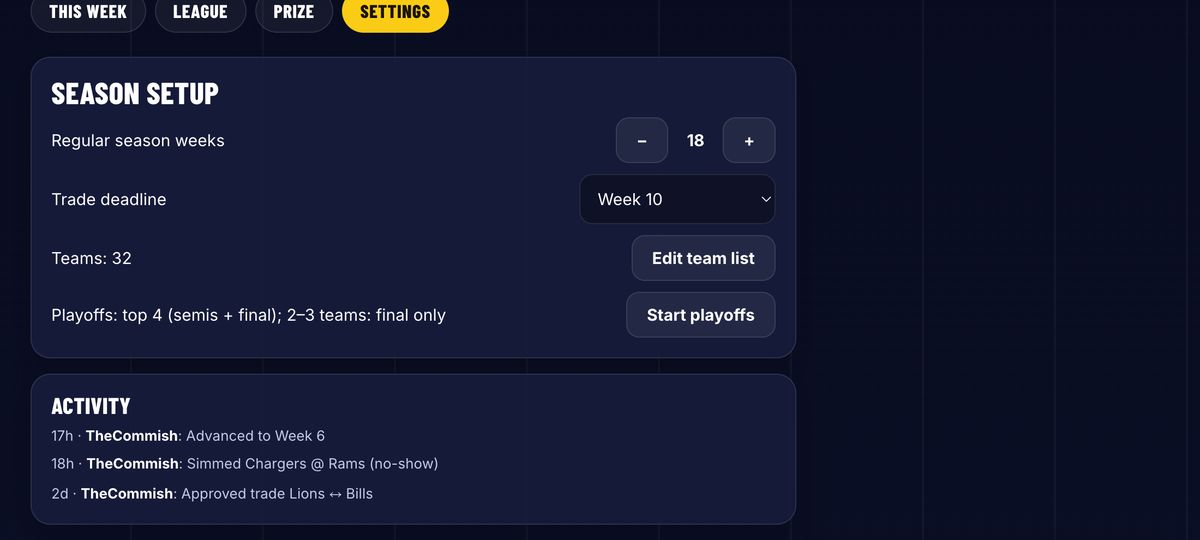
Change the season length or trade deadline, edit the team list, and start the playoffs. Everything you do as commissioner goes in the activity log, so your league can see every advance, sim and trade decision.
8What your members see
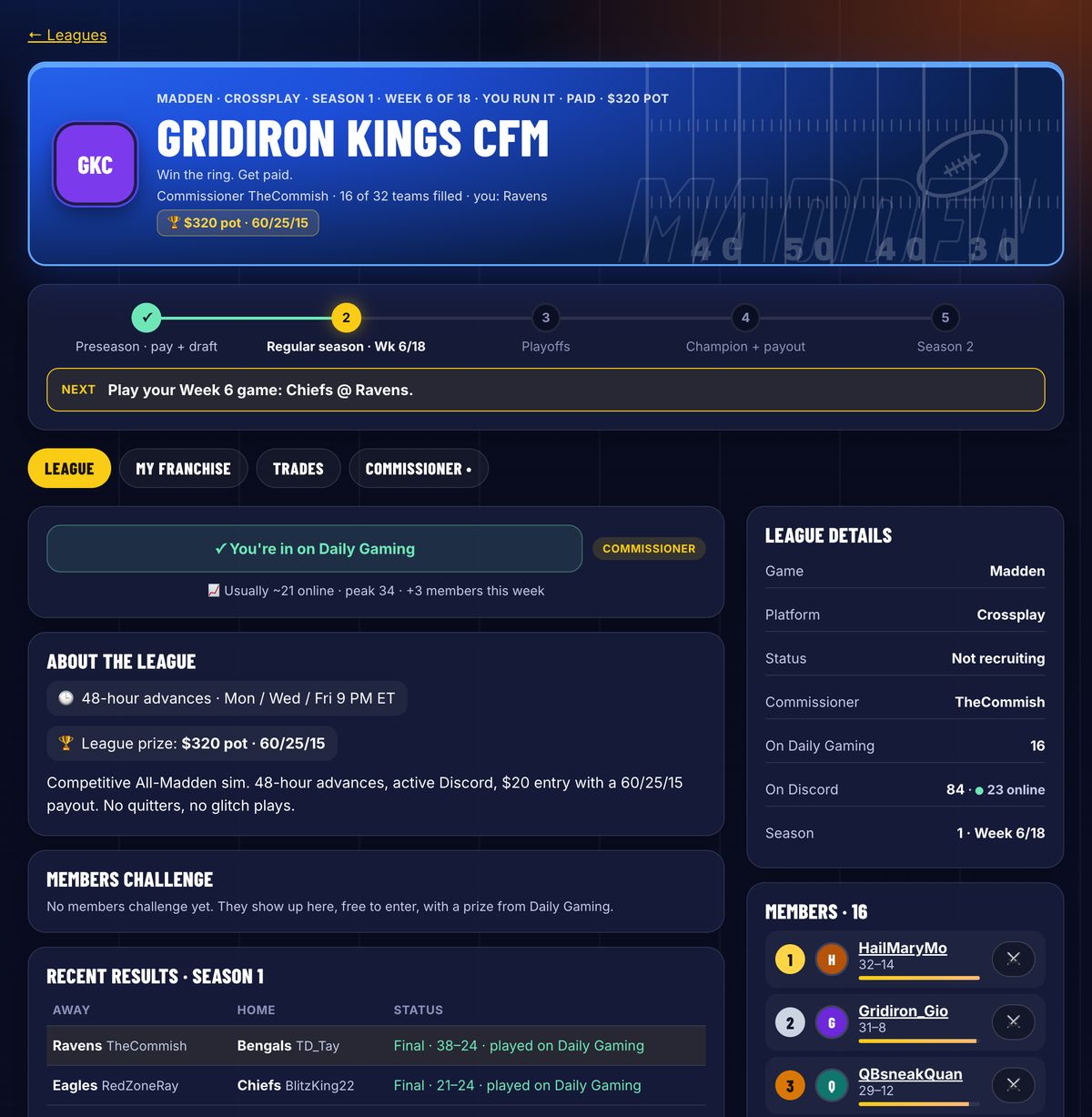
Members get the league page with the season tracker, their game for the week, recent results, the members list with records, and a members challenge: a free weekly challenge with a cash prize only your league can enter. They also see their own franchise page, trades, and the draft room.
9Playoffs, the champion and the payout
When the regular season ends, the top 4 make the playoffs: two semifinals and a final, played as Daily Gaming matches so the results can't be argued. The champion and the top three are saved in your league's past champions.
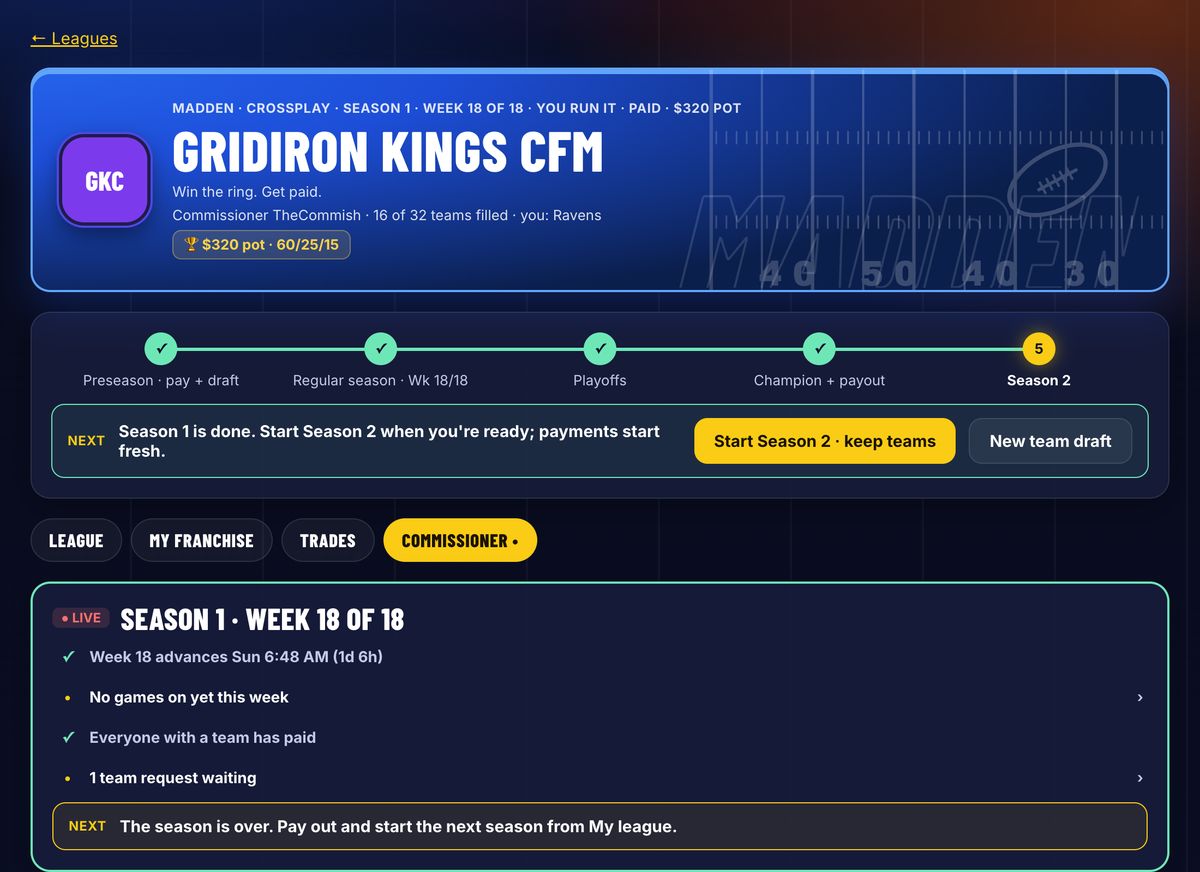
In a paid league you tap Pay out in the app and the winners are paid straight to their wallets in your split. Your 5% goes to you automatically. Then start Season 2: keep everyone's teams, or open them all for a new team draft. Payments start fresh each season.
10Getting help
Every Commissioner screen ends with Contact admin. Send a question, a problem or an idea, and it goes straight to the Daily Gaming team. We reply by email. You can also find us in the Daily Gaming Discord.